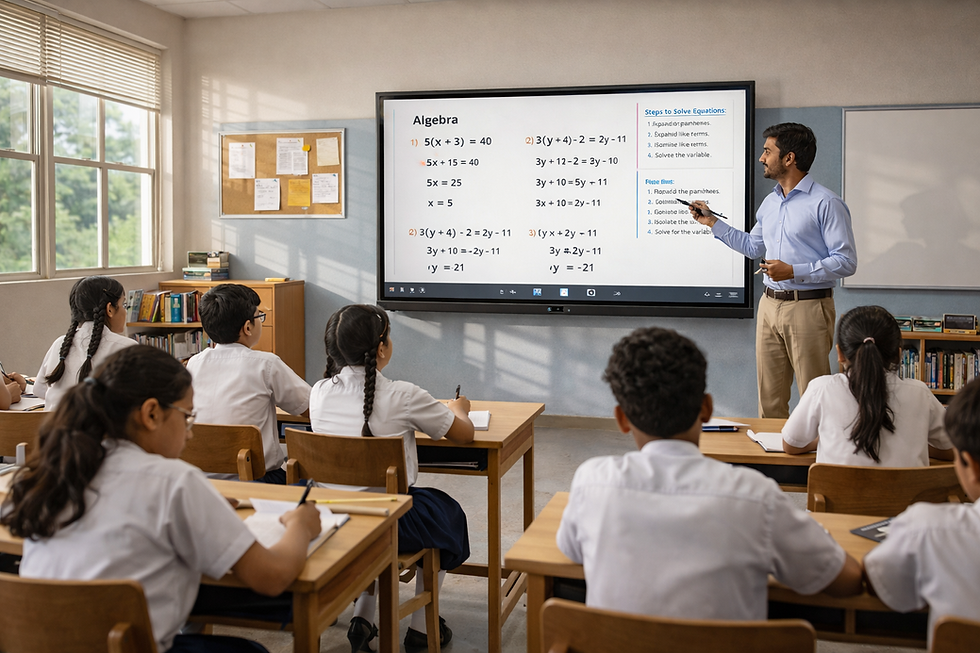
Top Interactive Flat Panels for School Classrooms
- Subha
- Apr 14
- 2 min read
School classrooms today are evolving to become more interactive, engaging, and technology-driven. Traditional teaching tools are being replaced by smarter solutions that help teachers explain concepts better and keep students actively involved.
Among these, interactive flat panels have emerged as one of the most important classroom technologies. The top interactive flat panels for school classrooms are those that support daily teaching needs, improve student engagement, and deliver reliable performance throughout the school day.
Why Schools Are Adopting Interactive Flat Panels
Modern classrooms require tools that can keep up with changing learning styles. Interactive flat panels help schools by enabling:
Visual explanations through videos, images, and diagrams
Real-time writing and annotations during lessons
Better student participation and interaction
Faster lesson flow without interruptions
Support for hybrid and recorded classes
These benefits make learning more engaging and effective for students.
What Makes an Interactive Flat Panel Ideal for Schools
When schools choose an interactive flat panel, they typically focus on:
Smooth performance for continuous classroom usage
Inbuilt computing to avoid external devices
Easy-to-use interface for teachers
Secure and future-ready operating system
Support for multimedia and hybrid learning
Reliable installation and after-sales support
These features ensure that technology fits seamlessly into everyday teaching.
Teachmint X Built for School Classrooms
Teachmint X is designed specifically for school teaching, combining reliable hardware with intelligent classroom tools. It helps teachers deliver structured lessons while keeping students engaged.
Teachmint X is an interactive flat panel with inbuilt CPU, created to simplify classroom setups and reduce technical complexity.
Why Schools Choose Teachmint X
Inbuilt CPU (Octa-Core, 8GB RAM, 128GB storage) for seamless performance
EduAI-powered tools for quizzes, explanations, and lesson prompts
Google EDLA Certified Android 14 ensuring secure and stable usage
Connected Classroom App for managing attendance, homework, and assessments
Built-in camera and microphone for hybrid teaching and interaction
Cloud auto-sync to securely save lesson content
Pan-India installation, training, and support
Teachmint X allows teachers to focus on teaching while technology works in the background.
Other Interactive Flat Panels Used in Schools
Alongside Teachmint X, several brands are widely used in school classrooms:
SMART Interactive Flat Panels – Known for collaboration features
Promethean Interactive Flat Panels – Used for structured teaching
Samsung Interactive Flat Panels – Preferred for premium display quality
BenQ Interactive Flat Panels – Trusted for eye-care technology
ViewSonic Interactive Flat Panels – Chosen for reliable performance
How Interactive Flat Panels Improve School Learning
Interactive flat panels enhance classrooms by:
Making lessons more visual and engaging
Encouraging active student participation
Improving understanding of complex topics
Reducing manual teaching effort
Supporting flexible learning models
They help create a more interactive and student-friendly classroom experience.
Conclusion
The top interactive flat panels for school classrooms are those that combine ease of use, reliability, and teaching-focused features. Schools are increasingly choosing panels that help teachers deliver better lessons while ensuring smooth classroom operations.
With its interactive flat panel powered by an inbuilt CPU, EduAI-driven teaching tools, secure Android platform, connected classroom ecosystem, and strong support network, Teachmint X stands out as a top choice for school classrooms.
For schools building future-ready learning environments, Teachmint X delivers a reliable, intelligent, and teaching-first interactive experience.