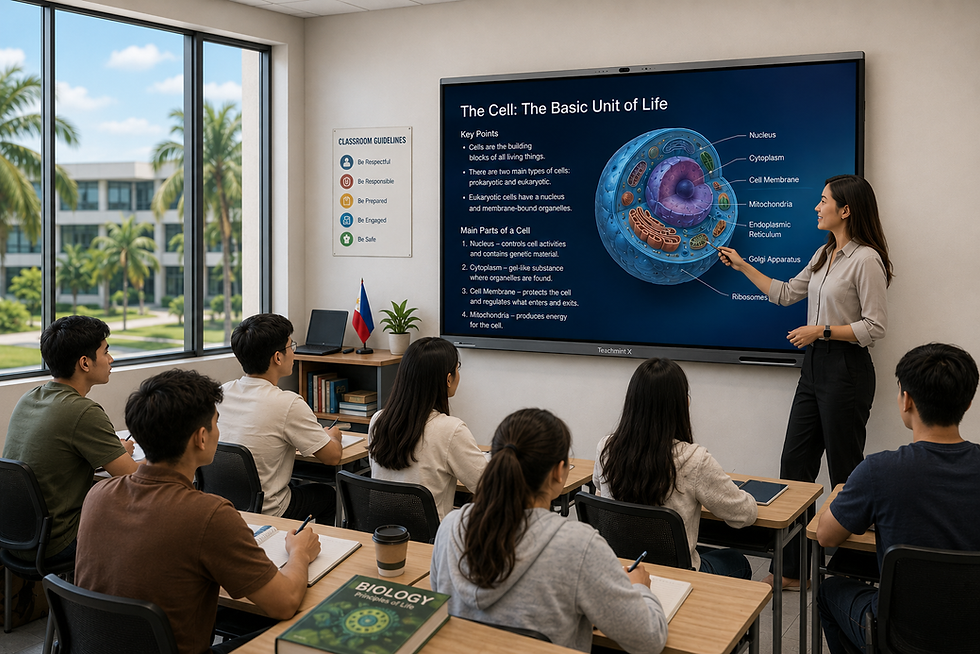
Interactive Flat Panels for Colleges in India
Transforming Higher Education Classrooms with Interactive Learning
College classrooms are evolving as higher education becomes increasingly visual, collaborative, and digitally connected. Faculty members today teach through a combination of lectures, presentations, research material, videos, diagrams, demonstrations, and student-led discussions.
Interactive Flat Panels for colleges can bring these different teaching formats together on a single classroom display. Professors can write and annotate directly on the screen, present multimedia content, access educational applications, conduct collaborative activities, and involve students more actively during lectures.
For colleges in India, Interactive Flat Panels can support the development of modern learning spaces across undergraduate, postgraduate, and professional programmes.
How Interactive Flat Panels Fit into College Teaching
Unlike school classrooms, higher education environments often require technology to support lectures as well as seminars, presentations, practical demonstrations, workshops, and academic discussions.
An engineering professor may need to explain a technical diagram and then open a simulation. A management faculty member may analyse a case study with students. A science professor may present research data, while humanities faculty may annotate documents or discuss visual resources.
An Interactive Flat Panel gives faculty the flexibility to handle these activities without depending on separate classroom displays and writing surfaces.
Teachmint X – Interactive Flat Panel with Inbuilt CPU for Colleges
Teachmint X Interactive Flat Panel with Inbuilt CPU is designed to support the varied teaching requirements of higher education institutions.
It combines AI-assisted teaching capabilities, integrated computing, interactive multi-touch, connected classroom tools, cloud whiteboarding, and built-in audio-video capabilities for college classrooms.
EduAI Assistant for Faculty
AI can assist faculty members with some of the preparation involved in everyday academic instruction.
With the EduAI Assistant, educators can create and customize:
Lecture plans
Topic explanations
Quizzes
Question banks
Assessment questions
Discussion prompts
Classroom activities
Revision materials
Faculty members remain in control of the content and can adapt generated resources according to the programme, semester, subject, and academic objectives.
Inbuilt CPU for Integrated Classroom Computing
Teachmint X comes with an Octa-Core Inbuilt CPU, 8GB RAM, and 128GB storage.
Faculty can work with presentations, documents, teaching applications, multimedia files, and other classroom resources directly on the panel without requiring an external computer for routine classroom activities.
This can help colleges maintain a simpler and more consistent setup across multiple classrooms.
Google EDLA Certified with Android 16
Teachmint X is Google EDLA Certified with Android 16, providing a secure and updated Android environment for higher education classrooms.
It enables access to compatible educational applications and Google services while offering enhanced performance, enterprise-grade security, and reliable long-term software updates.
Interactive Multi-Touch Technology
College education frequently involves collaborative problem-solving and student participation.
With Interactive Multi-Touch Technology, faculty and students can write, annotate documents, highlight information, solve problems, brainstorm ideas, and interact directly with displayed content.
The panel can therefore function as a shared academic workspace rather than only a presentation screen.
Cloud Whiteboard Sync
Faculty members often develop important explanations during a lecture that are not available in the original presentation or textbook.
With Cloud Whiteboard Sync, diagrams, calculations, annotations, notes, and other whiteboard content can be saved digitally.
Educators can revisit previous classroom work and continue discussions during subsequent lectures.
Connected Classroom Tools
Connected Classroom Tools help bring teaching and academic activities into a more connected environment.
Faculty can work with learning resources, assignments, assessments, and other classroom workflows while delivering lectures, helping colleges integrate interactive teaching with their broader academic processes.
Built-in Camera and Microphone
The Built-in Camera and Microphone can support academic activities beyond regular face-to-face lectures.
Colleges can use these capabilities for:
Hybrid lectures
Virtual guest sessions
Expert interactions
Online workshops
Faculty development programmes
Cross-campus collaboration
This can be especially useful for institutions that regularly engage with external academics, industry professionals, and guest speakers.
Where Interactive Flat Panels Can Be Used on College Campuses
Interactive Flat Panels do not have to be limited to conventional lecture rooms.
Lecture Halls
Faculty can combine presentations, digital writing, videos, diagrams, and interactive explanations during regular lectures.
Seminar Rooms
Panels can support discussions, research presentations, academic seminars, and smaller collaborative sessions.
Labs and Practical Classrooms
Educators can demonstrate procedures, explain technical processes, display diagrams, and discuss results before or during practical sessions.
Conference and Faculty Rooms
Colleges can use Interactive Flat Panels for faculty meetings, curriculum planning, academic reviews, workshops, and professional development.
Placement and Training Rooms
Panels can also support placement preparation, skill-development programmes, corporate interactions, training sessions, and guest lectures.
Applications Across College Disciplines
Engineering and Technology
Interactive Flat Panels can support technical diagrams, coding demonstrations, mathematical calculations, simulations, design reviews, and project presentations.
Science
Faculty can use scientific diagrams, graphs, research data, multimedia demonstrations, and digital annotations to supplement theoretical instruction.
Management and Commerce
Case studies, business models, financial charts, presentations, and collaborative exercises can be discussed directly on the panel.
Arts and Humanities
Educators can annotate texts, compare resources, display historical material, analyse visual content, and conduct discussion-led classes.
Medical and Allied Education
Faculty can use detailed diagrams, educational videos, presentations, and visual resources while explaining complex concepts.
Creating More Participative College Classrooms
One of the most useful aspects of an Interactive Flat Panel is its ability to make the classroom screen accessible to students as well as faculty.
Students can present projects, demonstrate ideas, annotate research, solve problems, or participate in group exercises directly on the panel.
For courses that emphasize presentations, case discussions, projects, and peer learning, this can create a more participative classroom environment.
Factors Colleges Should Assess Before Selecting an Interactive Flat Panel
A college-wide deployment requires more consideration than selecting a display for a single classroom.
Institutions should assess:
Inbuilt CPU performance
RAM and storage capacity
Interactive writing responsiveness
AI teaching capabilities
Google EDLA certification
Updated Android operating system
Compatibility with educational applications
Cloud Whiteboard Sync
Connected Classroom Tools
Built-in camera and microphone
Multimedia and content-sharing capabilities
Ease of use across different departments
Faculty onboarding and training
After-sales assistance
Scalability for campus-wide deployment
Colleges should select panels that can serve different departments without making classroom technology difficult for faculty to operate.
Building Connected Learning Spaces with Teachmint X
Teachmint X brings together features that can support different stages of college teaching.
Faculty can use the EduAI Assistant while preparing academic resources, access classroom applications through Google EDLA Certified with Android 16, and use the Octa-Core Inbuilt CPU with 8GB RAM and 128GB storage for everyday classroom computing.
During lectures, Interactive Multi-Touch Technology supports annotation and participation, while Cloud Whiteboard Sync helps retain classroom work. Connected Classroom Tools extend the experience to academic workflows, and the Built-in Camera and Microphone support virtual and hybrid interactions.
This combination can help colleges develop learning spaces that support lectures, collaboration, presentations, and digitally enabled academic activities.
Conclusion
Interactive Flat Panels can help colleges in India create classrooms that are better suited to the changing nature of higher education.
From lectures and practical demonstrations to seminars, student presentations, collaborative projects, and virtual expert sessions, Interactive Flat Panels can support multiple academic activities within the same learning environment.
Teachmint X Interactive Flat Panel with Inbuilt CPU combines EduAI Assistant, Google EDLA Certified with Android 16, an Octa-Core Inbuilt CPU with 8GB RAM and 128GB storage, Connected Classroom Tools, Interactive Multi-Touch Technology, Cloud Whiteboard Sync, and a Built-in Camera and Microphone to support modern college teaching.