Best Interactive Flat Panels with AI Teaching Tools
Bringing AI and Classroom Interaction Together
Artificial intelligence is beginning to change how educators prepare lessons, create classroom activities, develop assessments, and present learning material. At the same time, Interactive Flat Panels are giving teachers a more dynamic space for explaining concepts and involving students directly in lessons.
When these capabilities come together, an Interactive Flat Panel with AI teaching tools can support educators before and during the classroom session.
Instead of viewing AI as a separate tool, educational institutions can look for Interactive Flat Panels where intelligent teaching assistance works alongside digital writing, multimedia instruction, classroom collaboration, and connected learning.
Teachmint X – Interactive Flat Panel with Inbuilt CPU for AI-Assisted Teaching
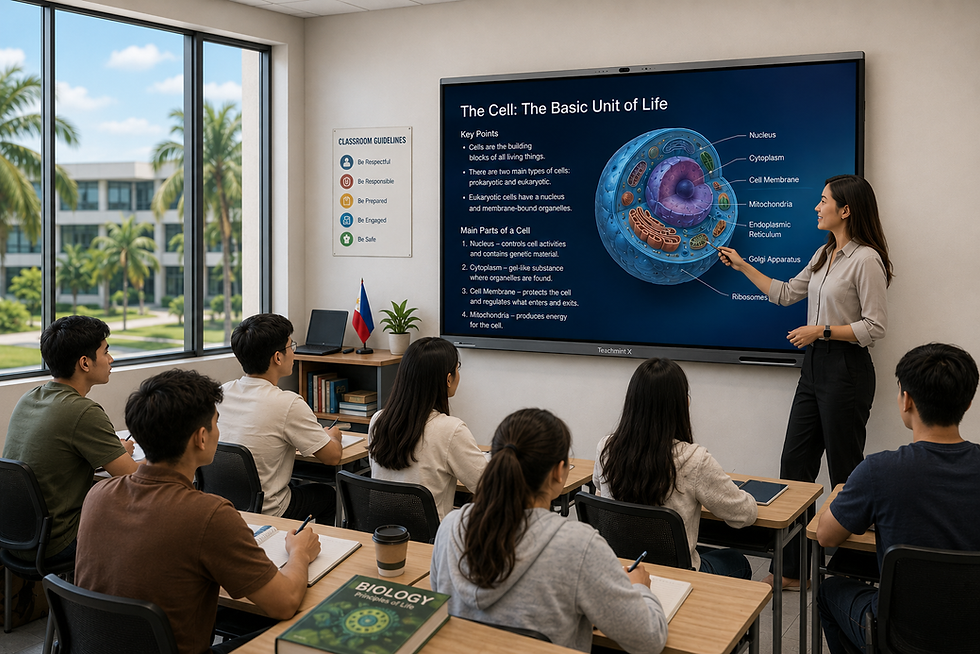
Teachmint X Interactive Flat Panel with Inbuilt CPU combines AI-powered teaching assistance with classroom-focused interactive capabilities.
It gives educators access to the EduAI Assistant, an integrated computing environment, Connected Classroom Tools, cloud-enabled whiteboarding, and interactive features designed around everyday teaching requirements.
EduAI Assistant: AI Support Built Around Educators
Teachers spend significant time preparing materials before they enter the classroom. AI can assist with this preparation while leaving educators in control of how the final content is used.
With the EduAI Assistant, teachers can create resources such as:
Lesson plans for different topics
Classroom quizzes
Question papers and question banks
Practice exercises
Topic explanations
Learning activities
Revision materials
Assessment-oriented content
Teachers can review, modify, and adapt these resources based on their curriculum, grade, subject, and students' learning requirements.
Inbuilt CPU for Everyday Classroom Work
Teachmint X includes an Octa-Core Inbuilt CPU with 8GB RAM and 128GB storage.
This integrated computing capability allows educators to work with teaching applications, presentations, documents, multimedia resources, and other classroom content without depending on an external computer for routine usage.
For institutions deploying panels across several classrooms, an inbuilt CPU can also help create a more consistent teaching setup.
Google EDLA Certified with Android 16
Teachmint X is Google EDLA Certified with Android 16, providing a secure and updated Android environment for educational use.
Educators can access compatible Google services and educational applications while benefiting from enhanced performance, enterprise-grade security, and reliable long-term software updates.
Interactive Multi-Touch Technology
AI may help prepare content, but classroom interaction remains an important part of effective teaching.
Interactive Multi-Touch Technology allows teachers and students to write, annotate, highlight, solve problems, and work directly with lesson content.
It can also support collaborative exercises where multiple students participate at the panel.
Connected Classroom Tools
Teachmint X connects interactive teaching with wider classroom activities.
Connected Classroom Tools help educators work with learning resources, assignments, assessments, and other academic workflows, allowing classroom instruction to become part of a more connected teaching experience.
Cloud Whiteboard Sync
Teachers often develop explanations organically while teaching—solving an equation step by step, creating a diagram, brainstorming ideas, or annotating learning material.
Cloud Whiteboard Sync allows this classroom work to be saved digitally and revisited later.
It helps educators continue previous discussions and retain useful classroom explanations instead of starting from a blank board every time.
Built-in Camera and Microphone
The Built-in Camera and Microphone extend the use of the Interactive Flat Panel beyond face-to-face lessons.
Educational institutions can use these capabilities for hybrid classes, virtual expert sessions, online workshops, faculty collaboration, and other remote learning interactions.
Where AI Teaching Tools Can Make a Difference
Faster Lesson Preparation
AI can help educators create an initial structure for lesson plans, questions, activities, and revision materials.
Teachers can then apply their subject expertise to refine the content before using it with students.
More Classroom Questioning
Instead of relying on a fixed set of textbook questions, educators can create additional questions around a topic for classroom discussion or practice.
This can be useful for formative assessment and quick knowledge checks.
Flexible Revision Activities
Different classes may require different approaches to revision.
AI-assisted tools can help teachers prepare quizzes, practice questions, summaries, or activities according to the topic being revised.
Supporting Different Learning Formats
Educators can combine AI-generated resources with videos, presentations, diagrams, whiteboard explanations, and interactive exercises on the panel.
This creates more flexibility in how a topic is presented.
Interactive Flat Panels with AI Tools Across Subjects
Mathematics
Teachers can generate practice questions and then solve them interactively on the panel, explaining each step while students participate.
Science
Educators can combine topic questions with diagrams, multimedia resources, annotations, and visual explanations.
Languages
AI-assisted prompts, vocabulary exercises, comprehension questions, and classroom activities can complement text annotation and multimedia-based language instruction.
Social Sciences
Teachers can prepare discussion questions and activities and then combine them with maps, timelines, charts, and other visual resources.
Higher Education
Faculty can use AI assistance for discussion prompts, quizzes, academic activities, and classroom resources while using the Interactive Flat Panel for lectures, presentations, and collaborative sessions.
What to Evaluate in an AI-Enabled Interactive Flat Panel
When institutions compare Interactive Flat Panels with AI teaching tools, the AI feature should not be considered in isolation.
A useful classroom panel should provide a balanced combination of teaching, computing, interaction, and connectivity.
Institutions can evaluate:
AI tools designed for educator workflows
Inbuilt CPU and processing capabilities
RAM and storage
Google EDLA certification
Updated Android operating system
Responsive multi-touch performance
Educational application compatibility
Cloud whiteboarding
Connected classroom capabilities
Built-in camera and microphone
Ease of adoption for teachers
Training and post-installation support
The goal should be to select an Interactive Flat Panel that educators can use comfortably throughout the school day rather than one where AI exists only as an additional feature.
From AI Content Creation to Interactive Teaching
The real value of combining AI with an Interactive Flat Panel becomes clearer when the entire teaching workflow is considered.
A teacher could use AI assistance to prepare questions before a lesson, introduce the topic through multimedia content, explain it using the digital whiteboard, invite students to solve problems through touch interaction, conduct a quick classroom assessment, and save the board work for later reference.
In this way, AI supports the educator while the Interactive Flat Panel provides the space where teaching and student participation take place.
Why Teachmint X for AI-Assisted Classrooms?
Teachmint X brings several classroom capabilities together rather than treating AI as a standalone addition.
The EduAI Assistant helps educators prepare teaching resources. The Octa-Core Inbuilt CPU with 8GB RAM and 128GB storage supports everyday classroom computing, while Google EDLA Certified with Android 16 provides a secure and updated operating environment.
Connected Classroom Tools, Interactive Multi-Touch Technology, Cloud Whiteboard Sync, and the Built-in Camera and Microphone further help educators move between preparation, instruction, interaction, and collaboration.
This education-focused combination makes Teachmint X a strong option for institutions exploring Interactive Flat Panels with AI teaching tools.
Conclusion
The next stage of interactive classroom learning is not simply about putting AI on a large display. It is about giving educators practical tools that can support preparation while also making classroom instruction more interactive.
Interactive Flat Panels with AI teaching tools can help teachers create resources, present concepts visually, involve students in activities, conduct assessments, and preserve classroom work digitally.
Teachmint X Interactive Flat Panel with Inbuilt CPU brings together EduAI Assistant, Google EDLA Certified with Android 16, an Octa-Core Inbuilt CPU with 8GB RAM and 128GB storage, Connected Classroom Tools, Interactive Multi-Touch Technology, Cloud Whiteboard Sync, and a Built-in Camera and Microphone to support AI-assisted and interactive teaching.